Example project
The repository ships a runnable demo under example_project/ that puts
all the query-UX features together on a realistic, richly related dataset
(books → authors → countries, publishers, genres):
- auto-completion of field and value names (the completion widget),
- multi-line queries (
Shift+Enter), - pretty-print (a Format button → the
formatendpoint), - per-branch record counts (an Explain button →
the
explainendpoint), - syntax highlighting — the restyled lightweight overlay,
- the Django admin with completion + multi-line + the opt-in highlight overlay.
It deliberately "goes wild" with styling — that part is the demo's own, not the library's. DjangoQL ships the primitives; the example shows ways to use them.
What it looks like
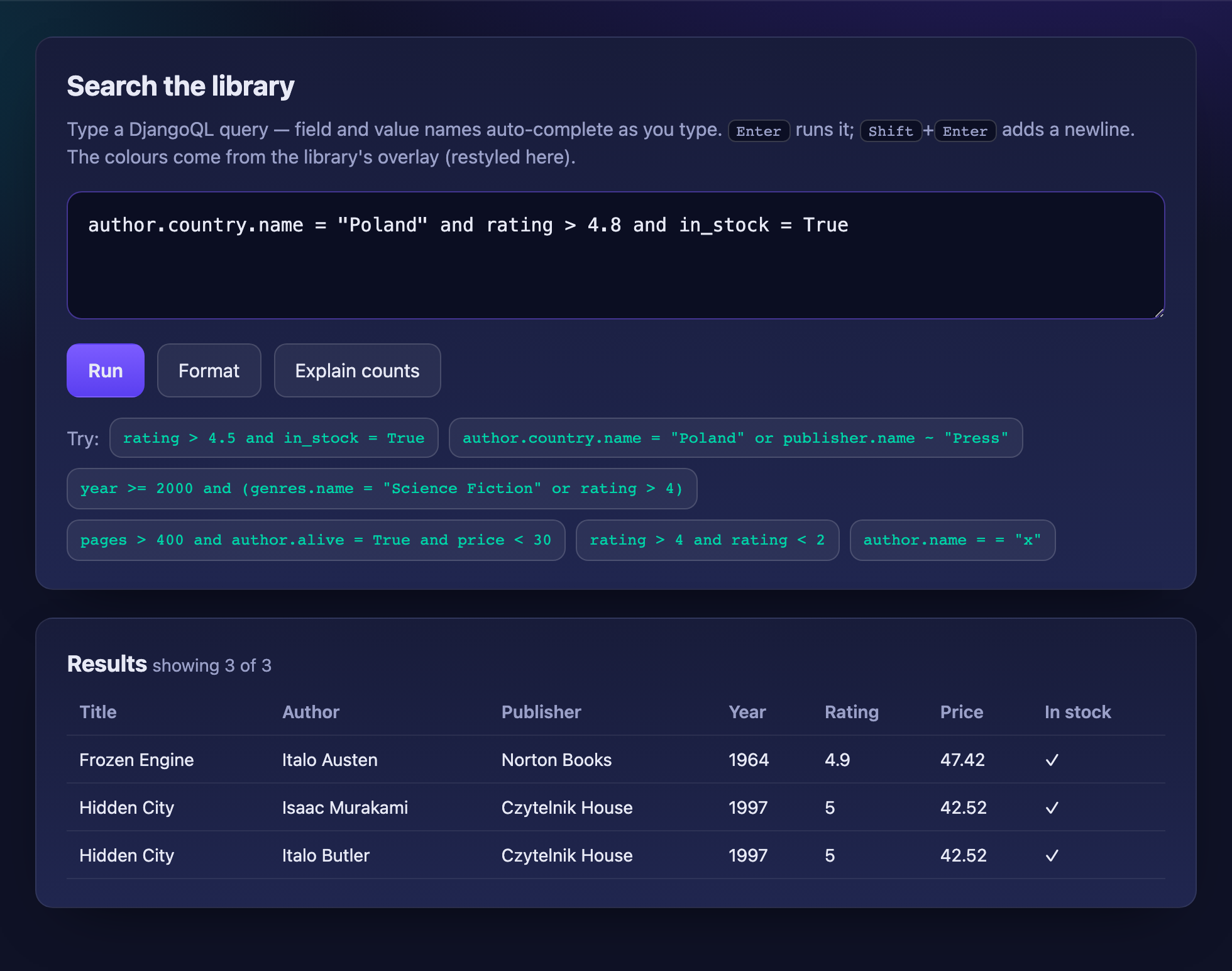
Running a query — auto-completion, live syntax highlighting, results:
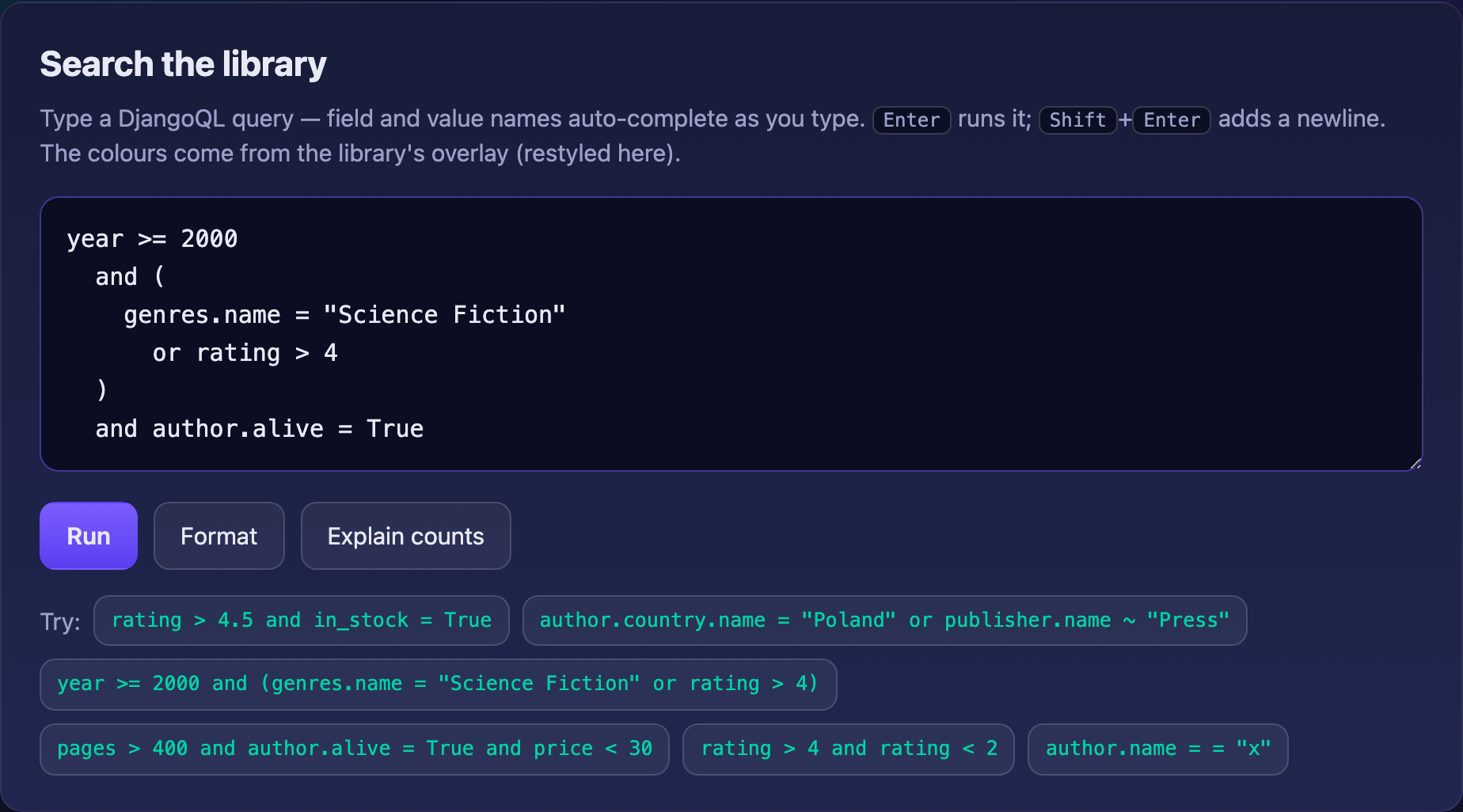
The Format button re-indents a query:
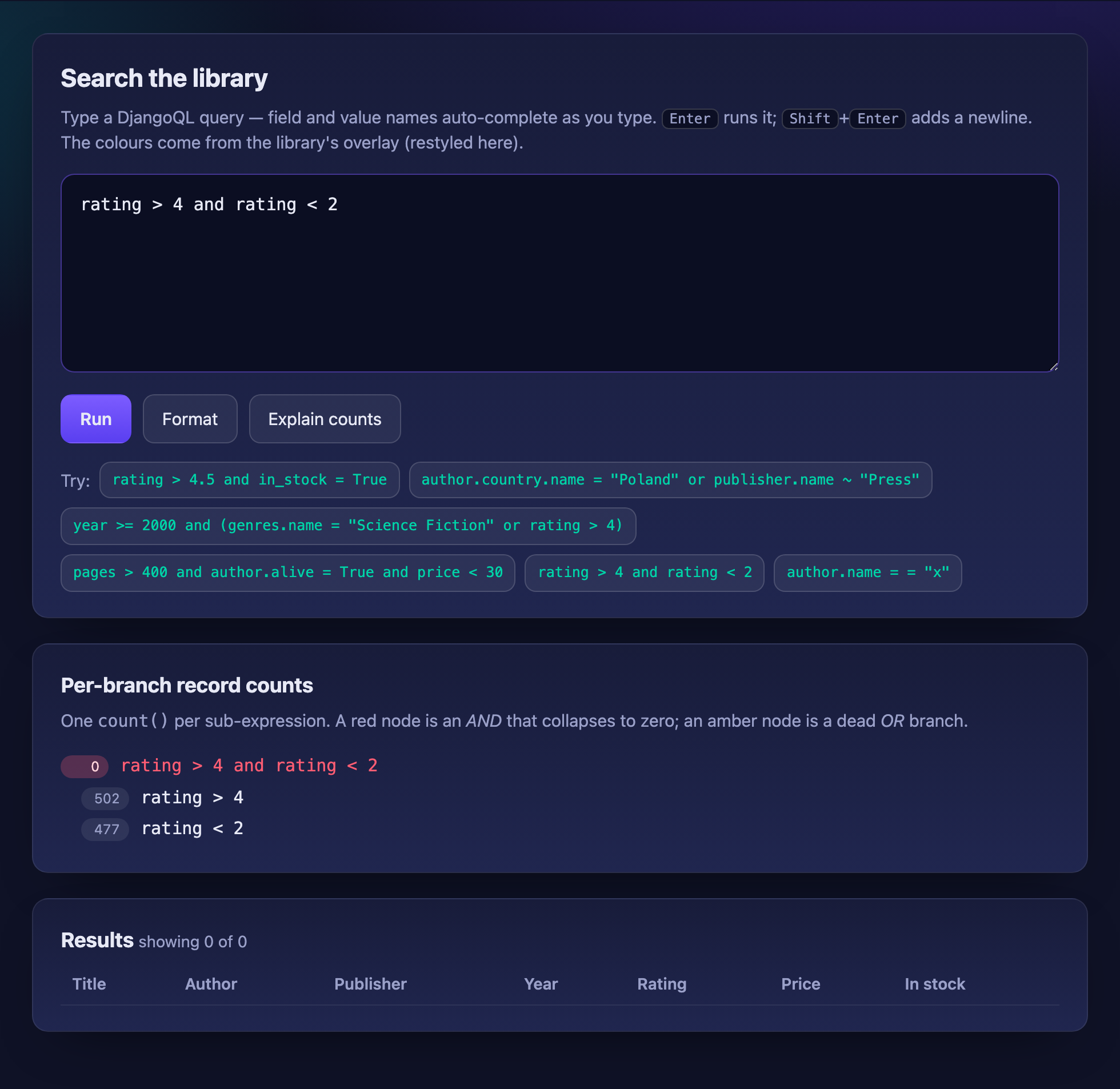
Explain counts shows per-branch row counts — here each side matches ~500 rows
but their and matches none, so the red node is where the data runs out:
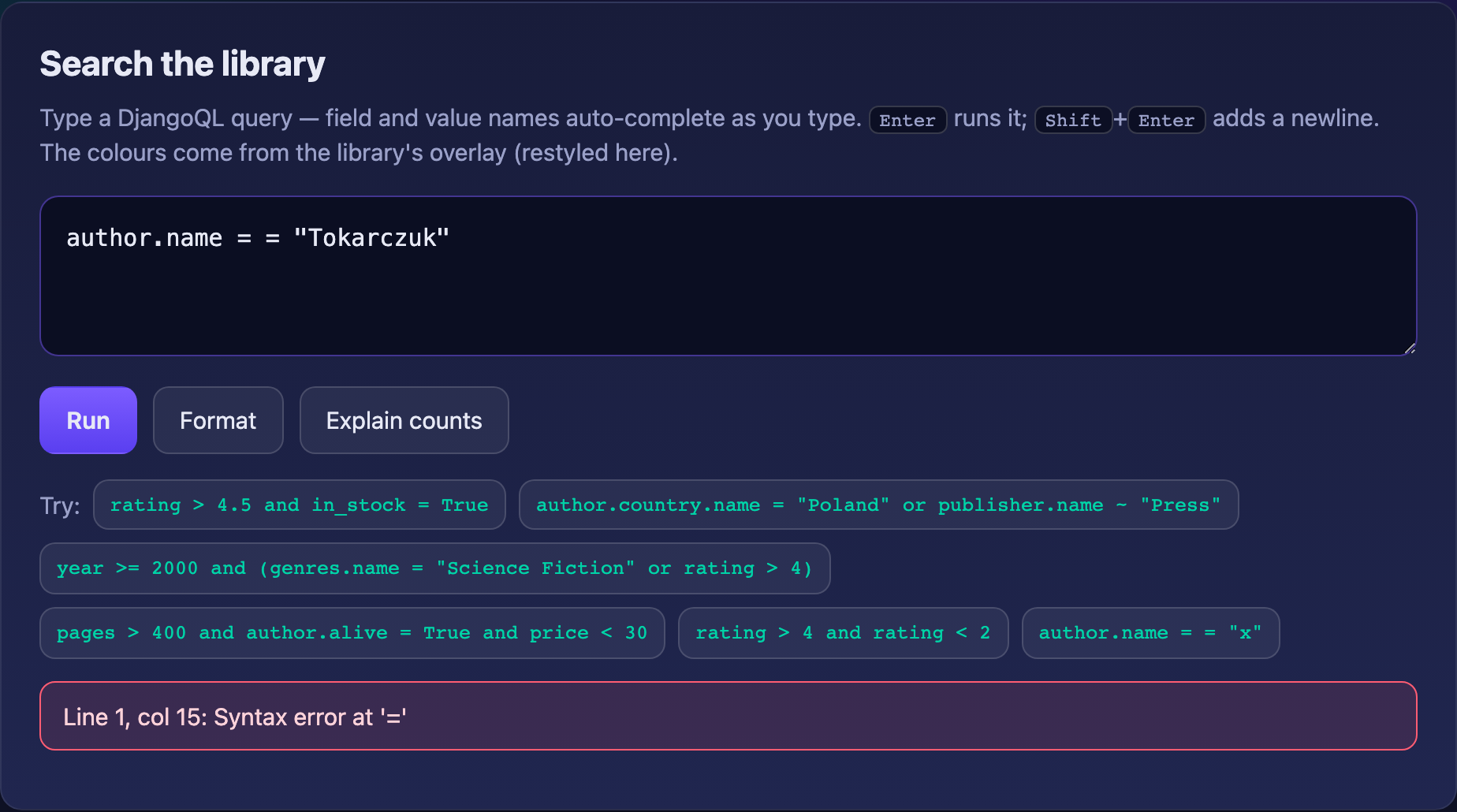
Syntax errors are pinpointed in the query box:
Run it
cd example_project
uv run python manage.py migrate
uv run python manage.py seed_demo          # lots of related demo data
uv run python manage.py createsuperuser    # optional, for the admin
uv run python manage.py runserver
Then open:
- http://127.0.0.1:8000/ — search demo (auto-completion, multi-line, highlight, Format, Explain counts, results)
- http://127.0.0.1:8000/admin/ — Django admin
See example_project/README.md for the full walkthrough, sample queries,
and a map of how each piece is wired.